WhatsApp has moved from being an app mainly used in the poorer countries (it became popular more quickly in 3rd world countries first) to being the standard for communications across the whole world. The days it became popular, communicating across borders was expensive and fractured with different apps and services which all worked differently. Remember Viber? Skype? Those were the days. When WhatsApp came onto the scene, it was a straight forward app to use. Put your number and the app imports your contacts and identifies anyone who has the app installed. And it just worked. didn’t matter whether your contact was in India, South Africa or sitting right next to you. If you sent a message, the message arrived. And sharing pictures and audio was such a breeze that I really wondered how we survived in the past.
It was such a breath of fresh air that I immediately switched and made it my default app of communication. I made sure that all my friends either abroad or near me, installed the app. It was free after all. Most people already had data on their phones or Wi-Fi in some way shape or form. So data wasn’t an issue. It was about people knowing that this app exists. And things we good. The app then blew up when they introduced voice and soon after video calls. I was one of the very first people to use voice when it was introduced as you had to jump through hoops to get it to to work (i have an old article i wrote to describe the process). Those features meant that WhatsApp cemented itself as the number one messaging app.
Anyway, I digress.
We are here today. WhatsApp is pretty much a standard in messaging and is used by over 3 billions people per month. That is huge. But with this size comes a penalty. A lot of hacking attempts are done on the platform. This hacking can be from children hackers in their basements to state sponsored operators with unlimited resources. This means that WhatsApp is being poked and tested daily. And it seems to have stood the test of time. With the addition of end-to-end encryption, this means that even governments cannot access your messages in transit including WhatsApp themselves.
However, this hasn’t stopped hackers from attempts to social engineer attacks on suspecting users. The most common attack was hijacking a users account by setting up a WhatsApp account on their phones with your number. WhatsApp usually used to send an SMS with a verification code. It was this verification code that social engineering was employed to trick users into sharing this code. And once shared with the attackers, it meant they had full access to all your new messages. With multi-device linking now available, this means they can also get access to previous messages. This is not good at all. Imagine all the private information you have shared with your loved ones in your old WhatsApp message including passwords, access keys, pins etc. All of those, the hackers will have access to. In addition, they will now be able to send messages as you and receive the responses. This meant they could attack more people with confidence. Imagine a message from your mother or brother asking for a pin sent to your phone, without thinking you would send it back. A lot of people fell for this trick and had their WhatsApp Accounts hijacked.
The best way to stop all this in its tracks is simply to enable 2 factor authentication (2FA). By having two factor authentication, it makes your account more secure by requiring this additional pin after setting up your account on a new phone. This means that even if a person somehow tricks you into sharing the verification pin sent by WhatsApp, they still won’t be able to get into your account without knowing your personal pin. Never share this pin with anyone. Never. Preferably, you can protect your account with a pin or email address or both.
How to setup
To setup 2FA for your WhatsApp, follow these steps:
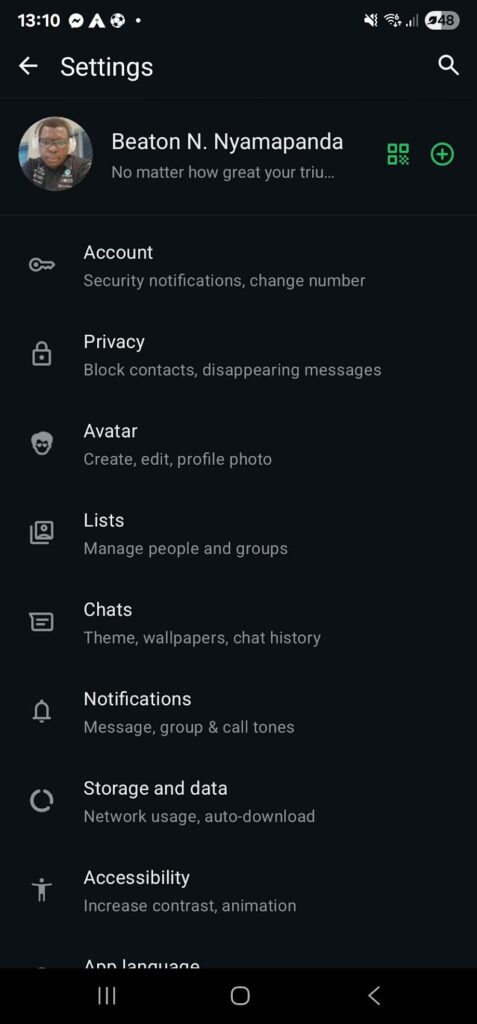
Go to Settings
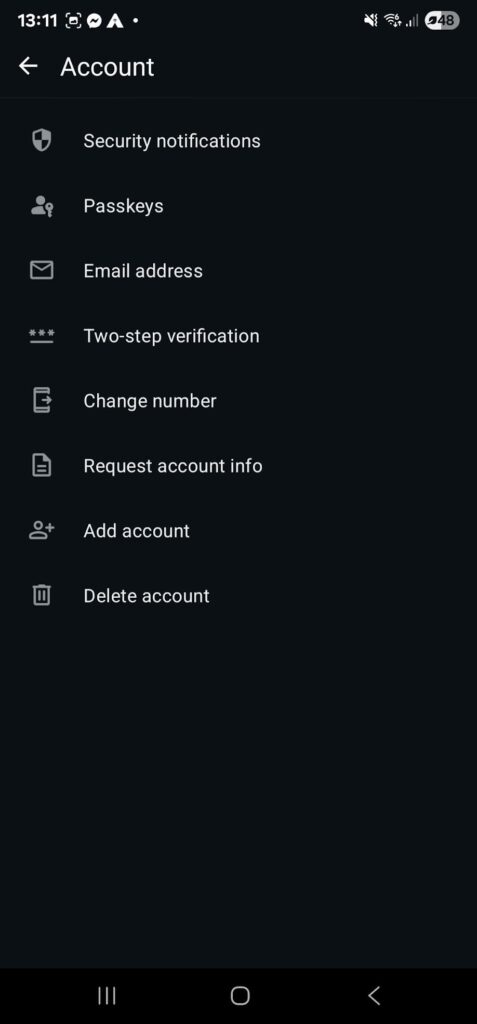
Click on the first option named Account
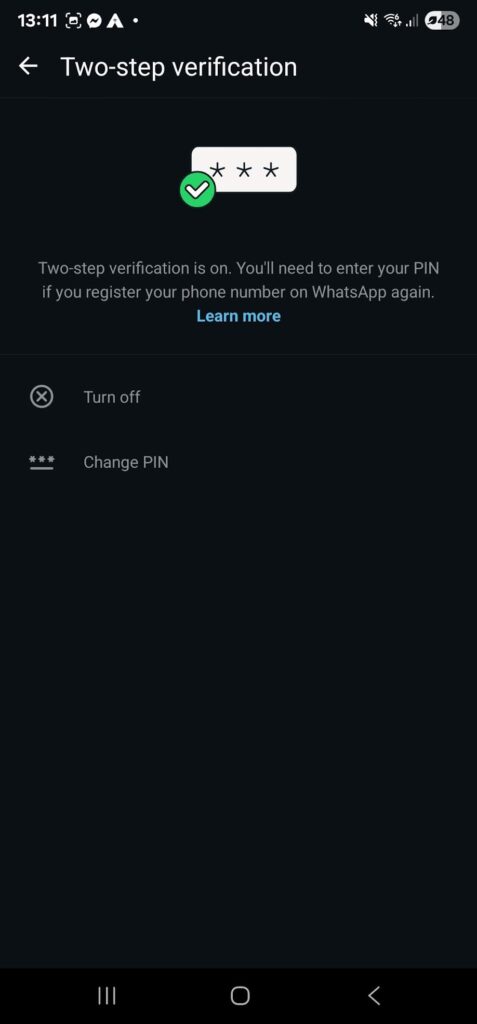
Then select Two-Step Verification
Click on Turn on and enter your pin
All done